Affiliate disclosure: As an Amazon Associate, SEFP Journal earns from qualifying purchases. The product cards link to Amazon.com listings in the United States.
In this Anker 332 vs 341 vs 555 comparison, start with the 332 for a basic HDMI-and-USB setup, the 341 for SD/microSD slots, or the 555 for Ethernet, a higher USB data ceiling and conditional 4K/60Hz output. The 341 is not a 4K/60Hz upgrade over the 332, and none of these hubs delivers 100W to the laptop just because its input is labeled 100W.
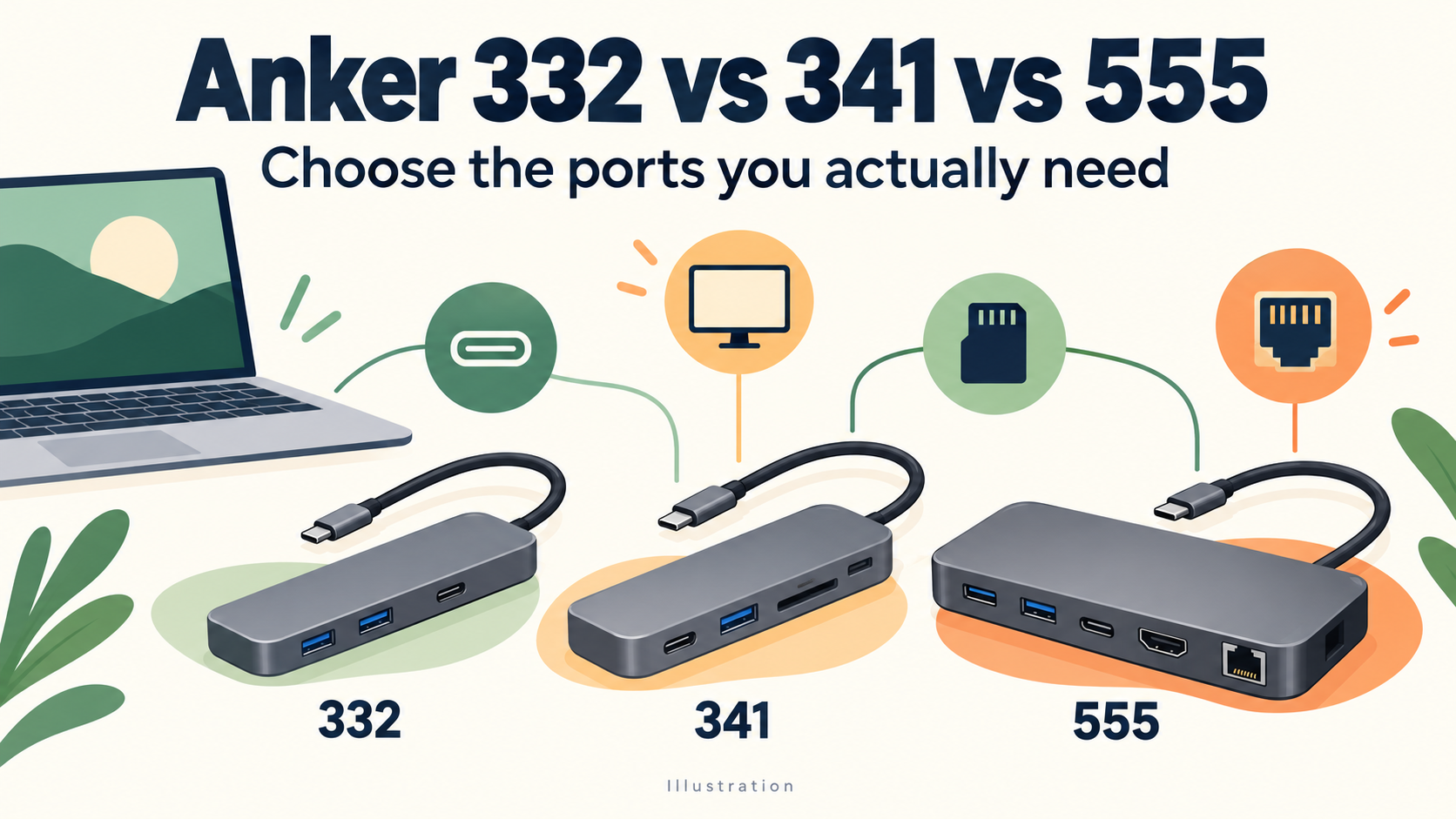
We compare the exact models A8355 (332), A8346 (341) and A8383 (555), using Anker documentation and matching US retailer listings checked October 30, 2026. This is a specification-based buying guide; we have not benchmarked transfers, measured temperatures or tested display compatibility ourselves. The featured image is a schematic illustration, not a product photograph or an exact port-layout drawing.
- Anker 332 vs 341 vs 555: ports and specifications
- Choose by the connection you are missing
- Anker 332: a straightforward five-port option
- Anker 341: useful card slots, with a USB-C speed caveat
- Anker 555: Ethernet and a higher data ceiling
- Why Anker 555 may still show 4K at 30Hz
- 100W input versus 85W laptop charging
- Frequently asked questions
- Before ordering: match the model number
- Official specifications and documentation
Anker 332 vs 341 vs 555: ports and specifications
| Feature | 332 | 341 | 555 |
|---|---|---|---|
| Model covered | A8355 | A8346 | A8383 |
| Listed hub ports | 5 | 7 | 8 |
| HDMI outputs | 1 | 1 | 1 |
| Maximum HDMI mode | 4K/30Hz | 4K/30Hz | 4K/60Hz with DP 1.4 host* |
| USB-A data ports | 2, up to 5Gbps | 2, up to 5Gbps | 2, up to 10Gbps |
| USB-C data port | 1, up to 5Gbps | 1; official speed conflict** | 1, up to 10Gbps |
| SD + microSD slots | None | Both, UHS-I | Both, UHS-I |
| Ethernet | None | None | Up to 1Gbps |
| USB-C PD input | Up to 100W | Up to 100W | Up to 100W |
| Laptop charging, up to | 85W | 85W | 85W |
| Charger included | No | No | No |
| Best reason to choose | Basic port expansion | Built-in card readers | Ethernet + higher data/video ceilings |
These are published maximums, not measured results. The laptop’s capabilities, connected devices and cables also matter. *Anker’s A8383 guide specifies 4K/30Hz with a DP 1.2 host and 4K/60Hz with DP 1.4. **The A8346 USB-C speed discrepancy is explained below.




Choose by the connection you are missing
| Your setup | Start with | Check before buying |
|---|---|---|
| One HDMI monitor, mouse and keyboard | 332 | Your laptop supports USB-C video; 4K/30Hz meets your needs. |
| Camera SD cards plus basic HDMI/USB | 341 | You need UHS-I card slots, rather than a faster HDMI mode. |
| A 4K/60Hz monitor and wired network | 555 | The host supports DP 1.4 and the HDMI cable/monitor support the target mode. |
| External SSD transfers through the hub | 555 for its 10Gbps ceiling | The SSD and host must also support the rate. Avoid assuming 341 USB-C speed. |
| Two HDMI monitors or a USB-C monitor | A different hub/dock specification | These exact models each have one HDMI output; their downstream USB-C ports are not video outputs. |
This is a way to build a shortlist, not a claim that one hub is best for every laptop. If your only missing connection is a card reader, paying for Ethernet may add little value. If Ethernet and 4K/60Hz are essential, buying a cheaper hub and adding several adapters can erase the saving.
Anker 332: a straightforward five-port option
The A8355 provides two USB-A data ports, one USB-C data port, HDMI and a USB-C PD input. Its data ports are rated up to 5Gbps and HDMI up to 4K/30Hz. It is the simplest candidate when you do not need built-in card readers or wired networking.
For a desk with one monitor and a few USB accessories, write down those connections before paying for a larger hub. Conversely, a required SD slot is a concrete reason to look at the 341; the port count on the box should not make the decision for you.
One model-specific note matters for the SSD comparison: Anker’s US A8355 page recommends its USB-A ports for stable Samsung T7 transfers. That is a manufacturer compatibility note, not a fault we reproduced. It is another reason to check the exact hub and port rather than assuming all USB-C connections behave identically.
Anker 341: useful card slots, with a USB-C speed caveat
The A8346 adds SD and microSD slots to a similar basic USB/HDMI arrangement. It retains a 4K/30Hz HDMI ceiling and two 5Gbps USB-A ports. For someone who regularly imports camera cards, the integrated readers can be the feature that justifies a price gap over the 332.
Do not treat the USB-C data speed as settled. The Anker US specifications table says USB 2.0/480Mbps, while the descriptive copy on the same page and the A8346 support page say up to 5Gbps. The matched Amazon listing also advertises 5Gbps. We cannot tell from those pages whether this is an editing error or a revision issue.
If fast USB-C SSD transfers are a requirement, ask Anker to confirm the exact unit before ordering, or choose a model with an unambiguous specification. The two USB-A ports have consistent 5Gbps claims in the checked official sources. We have not silently replaced the conflicting USB-C figure with the more attractive number.
Anker 555: Ethernet and a higher data ceiling
The A8383 adds a Gigabit Ethernet connection and advertises up to 10Gbps over its USB-A and USB-C data ports. It also has the two card slots and a single HDMI output. Those are useful reasons to compare its total price with a hub plus separate network or card adapters.
A 10Gbps USB specification is not a promise that an SSD copies files at 10Gbps, or that every connected device gets its own independent maximum at the same time. The host connection and active peripherals still constrain the result. Likewise, the Ethernet port’s link rating does not guarantee a particular internet-download speed.
For SSD buyers, our Samsung T7 vs T7 Shield vs T9 guide explains the drive-side requirements. A 10Gbps hub does not provide the T9 with its full 20Gbps Gen 2×2 connection. Choose the drive and the path it will actually use together.
Why Anker 555 may still show 4K at 30Hz
Anker’s A8383 English user guide ties the HDMI result to the host’s DisplayPort signal: DP 1.2 for 4K/30Hz, DP 1.4 for 4K/60Hz. “DP” here describes the video capability carried over the laptop’s USB-C connection; it does not mean this hub has a physical DisplayPort output.
Check the exact laptop model, its chosen USB-C port, the monitor input and the HDMI cable. A USB-C socket that only supports data cannot acquire video support from this hub. For a MacBook, follow the specification for that particular model instead of assuming every MacBook has the same display capabilities.
The 332 and 341 remain 4K/30Hz models in the documentation checked here. If 4K/60Hz is essential, include that requirement in the shortlist from the start. We have not measured refresh rates or input lag, so this comparison does not rank the hubs for gaming.
100W input versus 85W laptop charging
All three list up to 100W PD input and up to 85W pass-through charging to the laptop. Anker reserves 15W for hub operation. The headline input rating is therefore not the same as power delivered to the computer, and it does not establish a separate fast-charging output for a phone.
A compatible 100W PD charger and suitable cable are required to pursue the 85W maximum; neither the laptop nor the hub is forced to draw that power. A multiport charger must provide the needed output on the port used by the hub under your actual combination of connected devices. Do not assume its total printed wattage is always available on one port.
Compare the complete setup cost: hub, any charger/cable you still need, and any missing network or card adapter. Our Anker 715 vs 735 guide explains single-port versus shared-power choices; those 65W chargers should not be mistaken for a way to obtain 85W through these hubs.
Frequently asked questions
Does Anker 341 have Ethernet?
The A8346 compared here does not. Its seven listed ports include SD and microSD slots. Check the model number if a seller uses the same product-family number for a different arrangement.
Can I use two monitors with these hubs?
Each exact model has one HDMI output, and the downstream USB-C data/PD ports do not add a second video output. If you need two external screens, check a different dock’s display outputs and your laptop’s own external-display limits.
Does 555 mean the same thing as 553?
No. Anker documents 553 and 555 as different port arrangements. This comparison covers the A8383/555 with one HDMI output, not a similarly named two-HDMI product.
Which is the best value?
Choose the least expensive exact model that meets your required connections and host conditions. The 332 is the basic shortlist, the 341 is for card slots, and the 555 is for Ethernet and the higher data/video ceilings. Prices and seller offers change, so the product cards do not display a fixed “lowest price.”
Before ordering: match the model number
The cards below were matched to single-unit US listings: A8355011 for the 332, A8346/A83460A2 for the 341, and A83830A1 for the 555. Check the selected variant, condition, seller and return terms. If you already own a hub that meets your needs, a higher product number alone is not a reason to replace it.
Official specifications and documentation
- Anker US: 332, model A8355
- Anker US: 341, model A8346
- Anker US: 555, model A8383
- Anker support: 341 port specifications
- Anker 332 A8355 multilingual manual (English section)
- Anker 555 A8383 user guide
- Anker 555 A8383 official English guide PDF
- Anker support: 555 port specifications
- Anker support: 553 and 555 are different hubs