Disclosure: As an Amazon Associate I earn from qualifying purchases.
This site is a participant in the Amazon Services LLC Associates Program. As an Amazon Associate, we earn from qualifying purchases.
- Why Every Student Needs a Power Bank
- Quick Comparison Table
- 1. Anker Zolo 10,000mAh (30W) — Most Portable
Why Every Student Needs a Power Bank
A dead phone or laptop battery between classes is one of the most avoidable problems in college. Lecture halls and libraries don’t always have free outlets, and a single day of back-to-back classes, a part-time job, and evening study sessions can easily drain a phone battery twice over. A good power bank is one of the cheapest ways to remove that anxiety entirely.
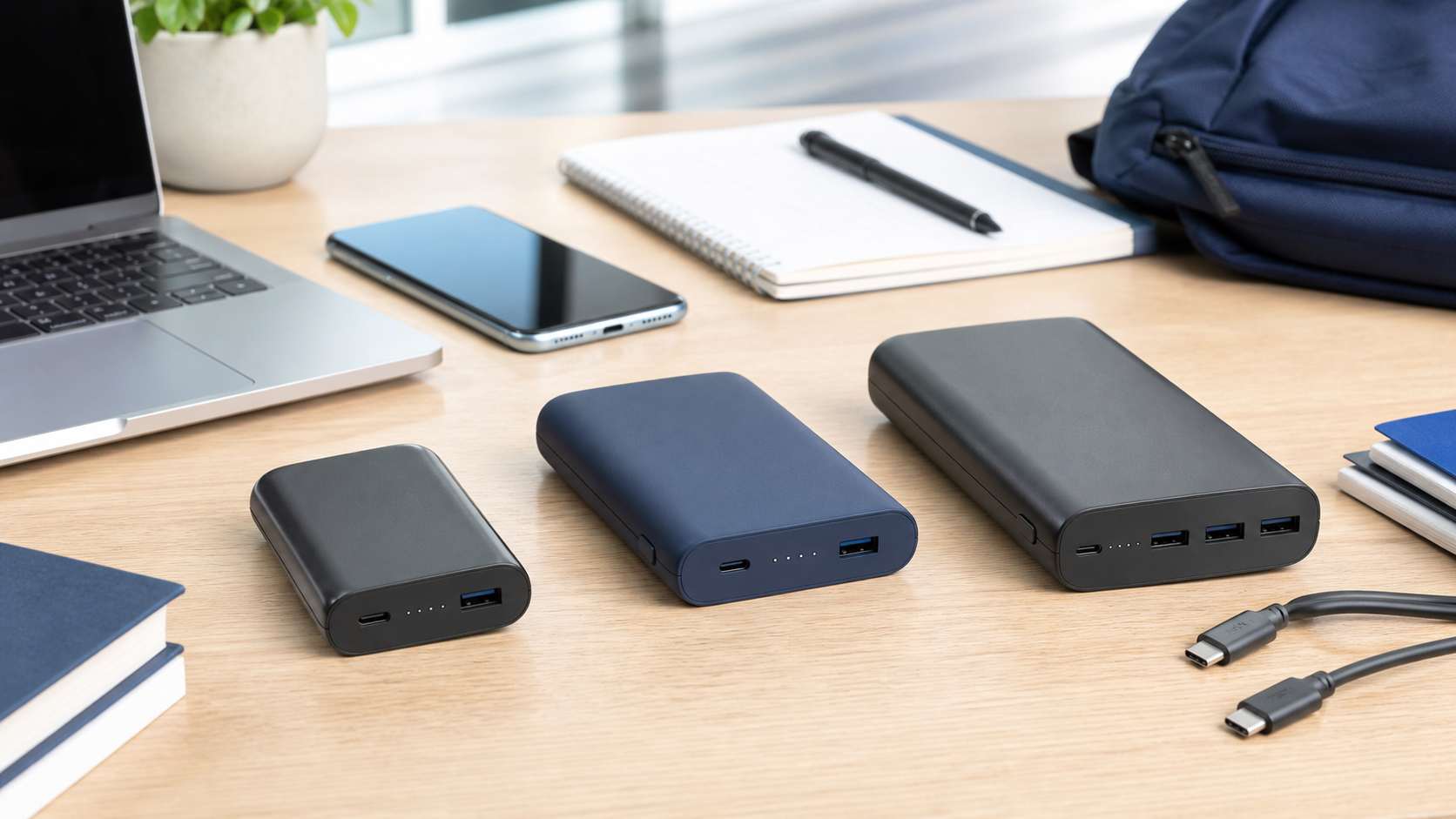
Below we compare three current Anker power banks that cover different needs: an ultra-portable MagSafe option, the best value pick, and one powerful enough to recharge a laptop. Prices and specs below are from the manufacturer and current Amazon listings as of August 2026 and can change, so check the live price before buying.
A quick note on capacity vs. output: capacity (mAh) determines how many times a power bank can recharge your device before it needs recharging itself, while wattage (W) determines how fast it charges. A higher-capacity bank with low wattage will still charge your phone slowly; a high-wattage bank with low capacity will charge fast but run out sooner. The three picks below cover different points on that spectrum.
Quick Comparison Table
| Model | Price | Capacity | Max Output | Best For |
|---|---|---|---|---|
| Anker Zolo 10K | $49.99 | 10,000mAh | 30W | Everyday campus carry, MagSafe convenience |
| Anker Zolo 20K | $45.99 | 20,000mAh | 45W | Best value — more capacity for less |
| Anker 737 PowerCore 24K | $69.97 | 24,000mAh | 140W | Charging a laptop, not just a phone |
1. Anker Zolo 10,000mAh (30W) — Most Portable
The Zolo 10K attaches magnetically to iPhone 15/16/17 series (MagSafe-compatible) and includes a built-in USB-C cable, so there’s nothing extra to carry. 30W output is enough to fast-charge a phone but not a laptop. Roughly, 10,000mAh is enough for about two full charges of a typical modern smartphone.
Who it’s for: iPhone users who want the simplest possible way to top up their phone between classes without digging a cable out of their bag. The magnetic attachment also means it can prop your phone up at an angle on a desk while it wirelessly charges.
- Magnetic attachment — no loose cable to lose
- Built-in USB-C cable
- Compact enough for a pocket or small bag
- 30W output can’t meaningfully charge a laptop
- Smaller capacity than the 20K model, despite costing more, since you’re paying for the magnetic/wireless convenience

Anker Zolo Magnetic Power Bank 10,000mAh (30W)

 ポチップ
ポチップ
2. Anker Zolo 20,000mAh (45W) — Best Value
Double the capacity of the 10K model for less money, the Zolo 20K trades the magnetic attachment for a higher-capacity cell and a faster 45W output. At roughly 20,000mAh, it can recharge a typical phone about four times, or top up a tablet a couple of times, before needing a recharge itself. A good pick for students who’d rather charge less often, or who want a single power bank to cover both a phone and a tablet.
Who it’s for: Android users (who don’t benefit from the Zolo 10K’s MagSafe attachment anyway), and anyone who wants the most battery capacity per dollar without stepping up to a 140W laptop-charging model.
- Best capacity-per-dollar of the three
- 45W output charges phones and tablets quickly
- Built-in USB-C cable
- No magnetic/MagSafe attachment
- Bulkier than the 10K model, though still pocketable in a backpack

Anker Zolo Power Bank 20,000mAh (45W)
 ポチップ
ポチップ
3. Anker 737 PowerCore 24,000mAh (140W) — Best for Laptops
The 737 PowerCore steps up to 140W output across 3 ports with a smart digital display showing remaining charge and wattage — enough to fast-charge a MacBook or most USB-C Windows laptops alongside a phone, making it the pick for students who need to keep a laptop alive through a full day of back-to-back classes and a library study session afterward.
Who it’s for: Anyone whose laptop charges over USB-C (most modern MacBooks, many Windows ultrabooks, and Chromebooks) and who regularly finds themselves without an outlet for a full day. It’s overkill if you only need to charge a phone.
- 140W output can fast-charge most USB-C laptops
- 3 ports for charging multiple devices at once
- Smart display shows real-time charge status and remaining capacity
- Heavier and bulkier than the Zolo models — this is a bag item, not a pocket item
- Priced higher than simple phone-only power banks

Anker 737 PowerCore 24,000mAh (140W)
 ポチップ
ポチップ
Frequently Asked Questions
Can I bring a power bank on a flight home from college?
Yes — the TSA and most international regulators allow power banks in carry-on luggage (not checked bags), typically up to 100Wh, which covers all three power banks in this comparison. Rules can vary by airline and country, so it’s worth a quick check before international travel specifically.
Will a power bank damage my phone’s battery over time?
Modern phones and power banks, including all three here, have built-in charge controllers that prevent overcharging and manage heat, so occasional or even daily top-ups are safe. What most affects long-term battery health is heat and constantly charging to 100% and draining to 0%, not the act of using a power bank itself.
Do I need a 140W power bank if I only charge my phone?
No — if you only ever need to charge a phone, the extra wattage of the 737 PowerCore is wasted, and you’ll get more capacity per dollar and a lighter bag from the Zolo 20K instead. Save the higher-wattage option for when you specifically need to charge a laptop.
Final Verdict
Most portable: the Zolo 10K if you want magnetic convenience and don’t mind paying a bit more for it.
Best value: the Zolo 20K — more capacity for less money.
Best for laptops: the 737 PowerCore 24K if you need to keep a laptop charged, not just a phone.
If you’re only buying one power bank for the next four years, capacity and laptop-charging capability tend to matter more over time than shaving a few dollars off the price — buy for the semester you’ll actually need it, not just the one you’re in now.
How to Choose the Right Power Bank Capacity
It helps to think in terms of “how many charges,” not just raw mAh, since a power bank never transfers 100% of its rated capacity to your device — conversion losses during charging typically mean you get roughly 60-75% of the rated mAh in usable charge. A 10,000mAh bank realistically delivers something closer to 6,000-7,500mAh to your phone, which is still around one and a half to two full charges for most modern phones with 4,000-5,000mAh batteries.
If you mainly need to top up a phone between classes, 10,000-20,000mAh is plenty. If you’re also charging a tablet, a pair of wireless earbuds, or a laptop from the same bank throughout the day, size up to 20,000mAh or more, and prioritize a higher wattage rating so a laptop actually charges at a usable speed rather than just slowing its battery drain.
Cable and Port Considerations
All three power banks above use USB-C, which has become the standard charging port across recent iPhones, Android phones, iPads, and most modern laptops — a genuine convenience, since one cable and one power bank can now cover your entire device lineup for most students. If you still have older Lightning-cable devices, you’ll need a USB-C-to-Lightning cable or adapter, since none of the three power banks above include one.
Battery Safety Basics
Lithium-ion power banks like these are generally very safe when purchased from reputable brands like Anker, which include multiple layers of protection against overheating, overcharging, and short circuits. That said, general good practice applies to any lithium-ion device: avoid leaving a power bank in a hot car, don’t charge it under a pillow or blanket, and stop using it if it becomes unusually warm, swollen, or damaged.
Traveling With a Power Bank: What to Know Before Flying Home
If you’re flying home for breaks, airline rules on lithium-ion batteries are worth understanding ahead of time rather than at the security line. All three power banks in this comparison fall well under the commonly cited 100Wh carry-on limit used by the TSA and most international carriers (a 24,000mAh bank at 3.7V nominal cell voltage works out to roughly 88Wh, under the limit). The universal rule across airlines is that power banks must go in carry-on luggage, never checked bags, because of fire-risk regulations around lithium-ion cells in the cargo hold. If you’re flying internationally, it’s still worth a quick check of your specific airline and any connecting carriers, since enforcement and exact limits can vary slightly by country.
How We Picked These Three
We chose three Anker power banks specifically (rather than mixing brands) because Anker consistently ranks among the most reliable and widely reviewed power bank makers, which matters for a purchase you’re trusting with expensive electronics every day. Within that, we picked three genuinely different use cases — ultra-portable, best value, and laptop-capable — rather than three similar products at different price points, so this comparison is useful regardless of what you’re actually trying to keep charged.
Buying through our links helps support this site at no extra cost. Thank you for your support!