Disclosure: As an Amazon Associate I earn from qualifying purchases. This article contains Amazon affiliate links. If you buy through them, SEFP Journal may earn a commission at no extra cost to you. This is a specification-based comparison; we did not conduct hands-on performance testing.
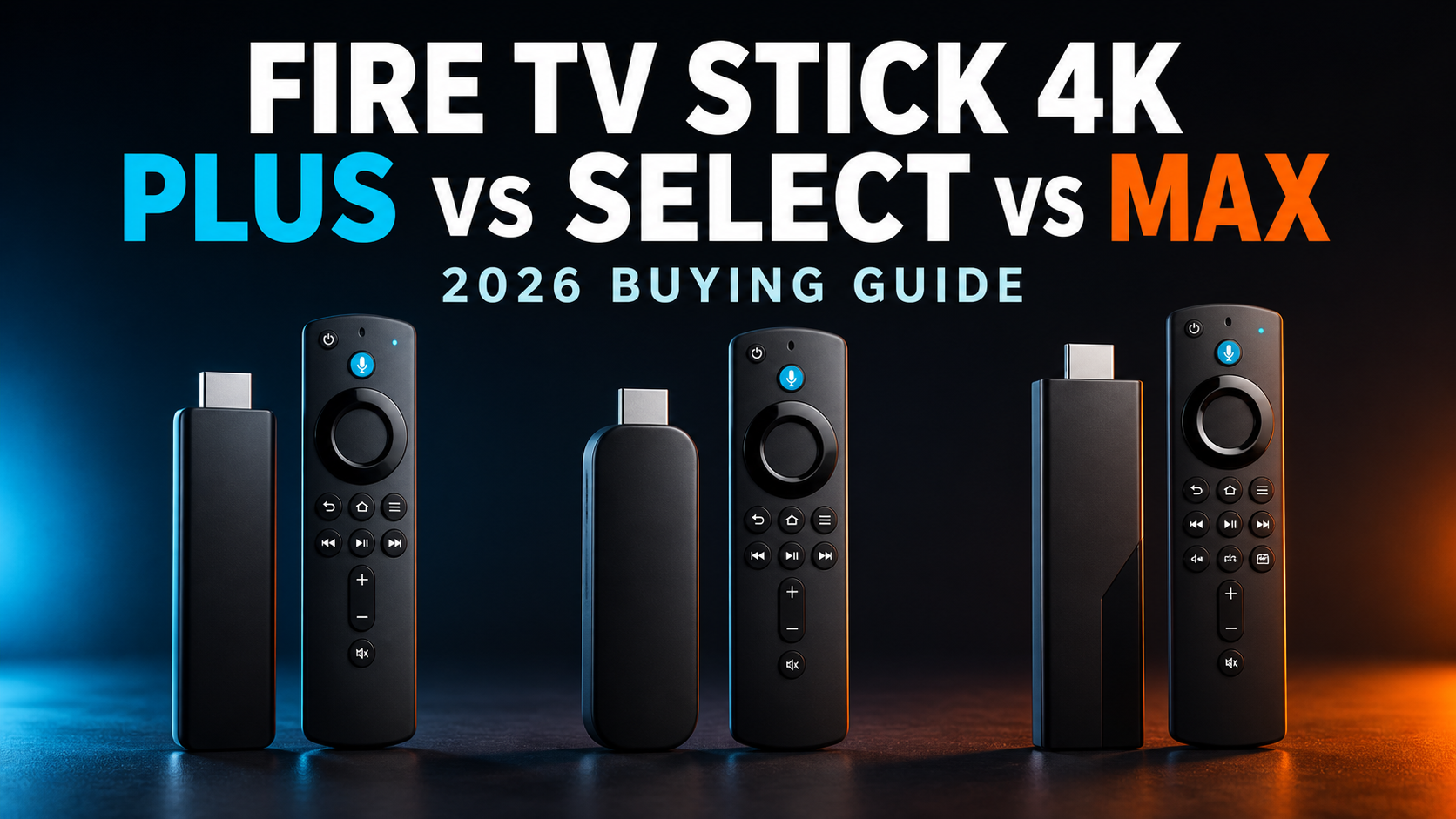
Amazon now sells three Fire TV Sticks with “4K” in the name, but they are not interchangeable. The Fire TV Stick 4K Select is the budget model with Vega OS, the Fire TV Stick 4K Plus is the balanced Fire OS model, and the Fire TV Stick 4K Max (2nd Gen) adds a faster processor, Wi-Fi 6E and twice the storage.
There is real purchase demand behind this comparison. When checked on September 1, 2026, Amazon.com’s Best Sellers list for Streaming Media Players placed the 4K Plus at No. 1, the 4K Select at No. 3 and the 4K Max at No. 7. Rakko Keyword also returned search suggestions including “fire tv stick 4k plus vs 4k select” and “fire tv stick 4k max vs 4k plus vs 4k select.” Rankings, availability and prices can change at any time.
- Quick verdict
- Fire TV Stick 4K Plus vs Select vs Max: specs
- The biggest difference is Vega OS vs Fire OS
- Performance: 4K Max has the most headroom
- Storage: 16GB is the Max’s practical advantage
- Picture quality: Dolby Vision separates Select from Plus and Max
- Audio: read “Dolby Atmos” carefully
- Wi-Fi 5 vs Wi-Fi 6 vs Wi-Fi 6E
- Which Fire TV Stick should you buy?
- When should you upgrade?
- Frequently asked questions
- Final recommendation
- Sources
Quick verdict
- Buy the Fire TV Stick 4K Plus if you want the best balance of app flexibility, Dolby Vision, Dolby Atmos and Wi-Fi 6 without paying for the Max.
- Buy the Fire TV Stick 4K Select if price is your priority and you mainly use mainstream streaming apps. Its biggest trade-off is Vega OS, plus lower RAM and no Dolby Vision.
- Buy the Fire TV Stick 4K Max if you install many apps, use cloud gaming, own a Wi-Fi 6E router or want the strongest hardware headroom in a stick.
Our default recommendation is the Fire TV Stick 4K Plus. The Max is the upgrade pick, while the Select makes the most sense only when its discount is large enough to outweigh the software and hardware compromises.
Fire TV Stick 4K Plus — best for most buyers

 ポチップ
ポチップ
Fire TV Stick 4K Select — best budget 4K option

Fire TV Stick 4K Max — best performance and storage

Fire TV Stick 4K Plus vs Select vs Max: specs
| Feature | 4K Select | 4K Plus | 4K Max (2nd Gen) |
|---|---|---|---|
| Release year | 2025 | 2025 | 2023 |
| Operating system | Vega OS 1.1 | Fire OS 8 | Fire OS 8 |
| CPU | 4-core Cortex-A55, up to 1.7GHz | 4-core Cortex-A55, up to 1.7GHz | 4-core Cortex-A55, up to 2.0GHz |
| RAM | 1GB LPDDR4 | 2GB LPDDR4 | 2GB LPDDR4 |
| Storage | 8GB | 8GB | 16GB |
| Maximum video | 4K at 60fps | 4K at 60fps | 4K at 60fps |
| HDR formats | HDR10, HDR10+, HLG | Dolby Vision, HDR10, HDR10+, HLG | Dolby Vision, HDR10, HDR10+, HLG |
| Dolby Atmos | HDMI passthrough | Supported | Supported |
| Wi-Fi | Wi-Fi 5 | Wi-Fi 6 | Wi-Fi 6E |
| Bluetooth | 5.0 | 5.2 + BLE | 5.2 + BLE |
| Best for | Lowest-cost mainstream 4K streaming | Most buyers | Heavy apps, gaming and Wi-Fi 6E |
The biggest difference is Vega OS vs Fire OS
The most important difference is not 4K resolution. All three support 4K output at up to 60fps. The key dividing line is the operating system.
The 4K Select runs Vega OS 1.1, Amazon’s newer Linux-based platform. The 4K Plus and 4K Max run Fire OS 8, which is based on Android. Mainstream services such as Prime Video, Netflix, Disney+ and YouTube are the Select’s intended use case, but app availability is not identical across Vega OS and Fire OS.
If a niche app, sideloading workflow, VPN, media server client or smart-home utility is essential to you, verify that exact app in Amazon’s current app store before buying the 4K Select. Buyers who want the broadest established Fire TV app compatibility should lean toward the Plus or Max.
Performance: 4K Max has the most headroom
Amazon’s official specifications list the 4K Max with a processor running up to 2.0GHz and an 850MHz GPU. The 4K Plus reaches 1.7GHz with a 650MHz GPU, while the 4K Select reaches 1.7GHz with a 500MHz GPU. The Max and Plus also have 2GB of RAM, versus 1GB on the Select.
Those specifications favor the Max for heavier interfaces, cloud gaming and long-term multitasking headroom. They do not, by themselves, prove a specific app opens a certain number of seconds faster. For ordinary Netflix or Prime Video playback, internet quality and the streaming service can matter more than processor differences.
Storage: 16GB is the Max’s practical advantage
The 4K Select and 4K Plus both have 8GB of internal storage. The 4K Max doubles that to 16GB. The usable amount is lower after system files, so this difference matters if you install many apps or games.
- 8GB is usually enough for a focused set of major streaming apps.
- 16GB is safer for cloud-gaming clients, multiple regional streaming apps, utilities and larger app libraries.
- If you regularly uninstall apps to free space on an older Fire TV Stick, the Max is the clearer upgrade.
Picture quality: Dolby Vision separates Select from Plus and Max
All three models support HDR10, HDR10+ and HLG. The 4K Plus and 4K Max additionally support Dolby Vision. The 4K Select does not list Dolby Vision in Amazon’s official specification table.
If your TV supports Dolby Vision and you watch compatible movies or shows, the Plus or Max preserves that option. If your television only supports HDR10, the Select’s lack of Dolby Vision is less important. A streaming stick cannot add Dolby Vision capability to a TV that does not support it.
Audio: read “Dolby Atmos” carefully
Amazon documents Dolby Atmos support on the 4K Plus and 4K Max. For the 4K Select, the official specification lists HDMI audio passthrough for Dolby Digital, Dolby Digital Plus and Dolby Atmos. In practice, successful Atmos playback still depends on the app, title, subscription tier, TV or receiver and HDMI configuration.
Do not choose a model solely because a product listing contains an Atmos badge. Check whether your soundbar or AV receiver supports the format and connection method you plan to use.
Wi-Fi 5 vs Wi-Fi 6 vs Wi-Fi 6E
- 4K Select: dual-band Wi-Fi 5.
- 4K Plus: dual-band Wi-Fi 6.
- 4K Max: tri-band Wi-Fi 6E, including the 6GHz band.
Wi-Fi 6E only helps when you have a compatible router and suitable signal conditions. It can be valuable in a congested apartment or a gaming setup, but it will not make a slow internet plan faster. For most households with a Wi-Fi 6 router, the 4K Plus is the sensible middle ground.
Which Fire TV Stick should you buy?
Choose the 4K Select if…
- You want the cheapest current 4K Fire TV option.
- You mainly use mainstream streaming services.
- Your TV does not support Dolby Vision.
- You are comfortable verifying your must-have apps on Vega OS.
Choose the 4K Plus if…
- You want Dolby Vision and established Fire OS app compatibility.
- You have a Wi-Fi 6 router.
- You want 2GB of RAM but do not need 16GB of storage.
- You prefer the safest value choice for a primary TV.
ポチップ
Choose the 4K Max if…
- You need more room for apps and games.
- You own a Wi-Fi 6E router.
- You use cloud gaming or want the fastest Fire TV Stick hardware.
- The sale-price gap from the Plus is small.
When should you upgrade?
If you already own the 2023 Fire TV Stick 4K (2nd Gen), the current 4K Plus is not a major hardware jump: Amazon’s device documentation identifies the Plus with the same 1.7GHz-class processor, 2GB RAM, 8GB storage and Wi-Fi 6 tier. The new Plus name helps distinguish it from the 4K Select. Upgrade to the Max primarily for 16GB storage, faster graphics and Wi-Fi 6E.
Owners of an older 1080p Fire TV Stick gain more from any of these models when paired with a 4K TV. Before upgrading, also check whether slow performance is caused by weak Wi-Fi, insufficient TV power from USB, or nearly full storage.
Frequently asked questions
Is Fire TV Stick 4K Plus better than 4K Select?
On specifications, yes: the 4K Plus has 2GB rather than 1GB of RAM, Wi-Fi 6 rather than Wi-Fi 5, Dolby Vision support and Fire OS 8. The Select can still be the better budget purchase if it is substantially cheaper and supports every app you need.
Is Fire TV Stick 4K Max worth it over 4K Plus?
The Max is worth considering for 16GB storage, Wi-Fi 6E and its faster 2.0GHz-class CPU. For straightforward movie and TV streaming on Wi-Fi 6, the Plus is usually enough. Compare the live Amazon prices because frequent sales can change the value calculation.
Does Fire TV Stick 4K Select support Dolby Vision?
No. Amazon’s official device specification lists HDR10, HDR10+ and HLG for the 4K Select, but not Dolby Vision.
Can you sideload Android apps on Fire TV Stick 4K Select?
The Select runs Vega OS rather than Android-based Fire OS, so buyers should not assume an Android APK workflow will work. Verify the exact app through Amazon’s current Vega OS app availability. The Plus and Max are the safer choices for established Fire OS compatibility.
Do all three models include an Alexa remote?
Amazon sells each model with an Alexa voice remote, but button layouts and included-remote versions can vary by listing, bundle and region. Check the current Amazon.com listing before purchase.
Final recommendation
Fire TV Stick 4K Plus is the best choice for most people. It keeps Fire OS, adds Dolby Vision and Wi-Fi 6, and avoids the Select’s 1GB RAM limit. Choose the Max when storage, Wi-Fi 6E or cloud gaming matters; choose the Select only when saving money matters more than app flexibility and premium HDR support.
Because Amazon discounts Fire TV hardware frequently, the best deal can change. Use the buttons above to compare the current Amazon.com price and availability before buying.