Disclosure: As an Amazon Associate I earn from qualifying purchases. This article contains Amazon affiliate links. If you buy through them, SEFP Journal may earn a commission at no extra cost to you. This is a specification-based comparison; we did not conduct hands-on speed or range testing.
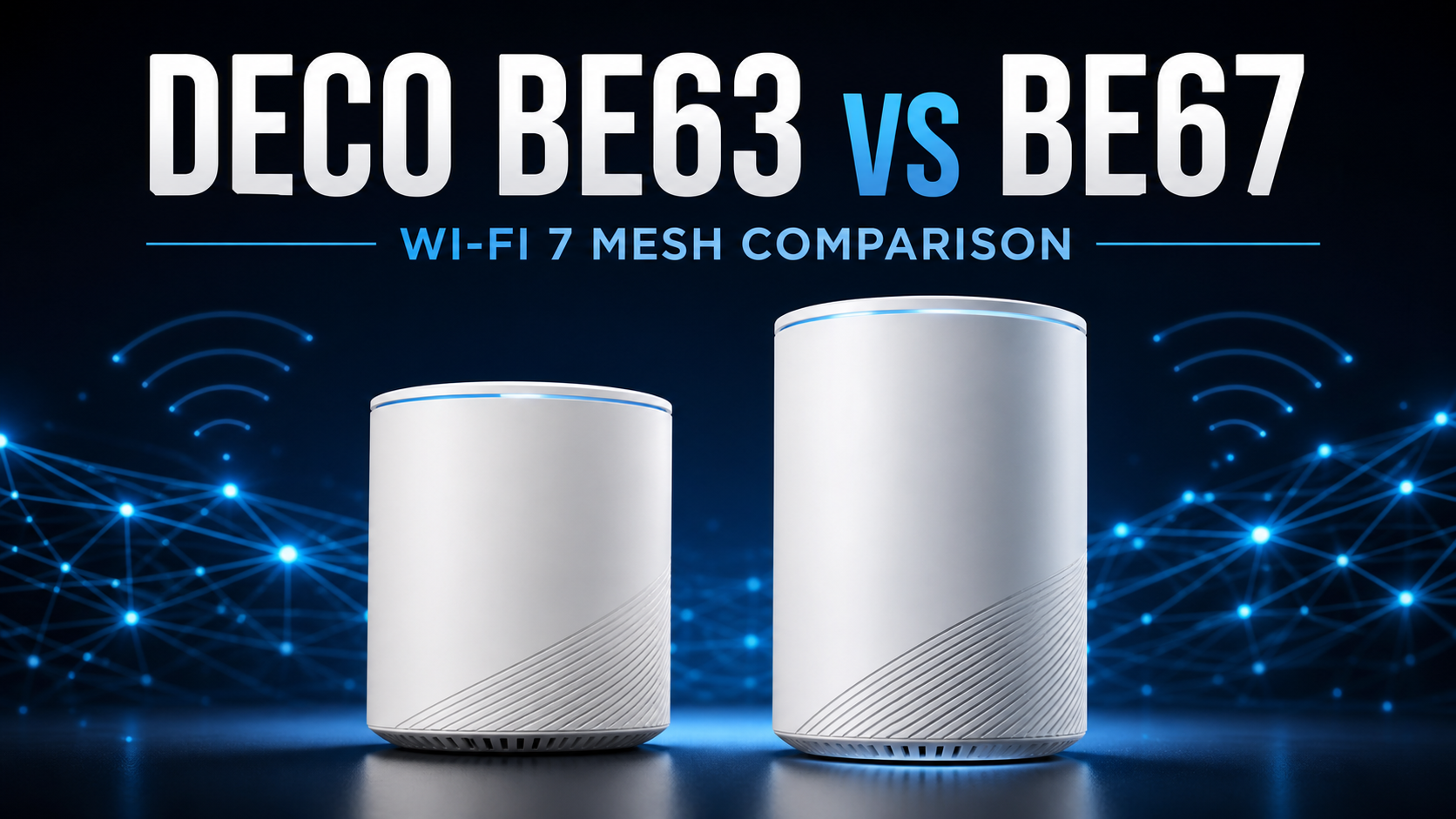
The names are almost identical, but the TP-Link Deco BE63 and Deco BE67 are designed for different multi-gig networks. The BE67 has the faster BE14000 wireless specification and a 10GbE port. The BE63 is slower on paper, yet its four 2.5GbE ports per unit can be more useful than the BE67’s mixed 10GbE, 2.5GbE and Gigabit ports.
This comparison has current purchase demand. When checked on September 1, 2026, Amazon.com’s Whole Home & Mesh Wi-Fi Systems Best Sellers list placed the Deco BE63 three-pack at No. 6 and the newer Deco BE67 three-pack at No. 21. Rakko Keyword returned exact and closely related suggestions including “deco be63 vs be67,” “tp link deco be63 vs be67,” and “deco be63 vs be65 vs be67.” Rankings, prices and availability can change.
- Quick verdict
- Deco BE63 vs BE67 specs
- The real decision: one 10GbE port or four 2.5GbE ports?
- Wireless performance: BE67 has more 6GHz capacity
- Deco BE63 vs BE67 range and coverage
- Which model fits your internet plan?
- Wireless backhaul vs Ethernet backhaul
- BE63, BE65, BE67 and BE68 naming warning
- HomeShield and subscription costs
- Which Deco should you buy?
- Frequently asked questions
- Final recommendation
- Sources
Quick verdict
- Buy Deco BE63 if you have several 2.5GbE devices, want more wired ports at every mesh node, or use an internet plan up to 2.5Gbps.
- Buy Deco BE67 if you have a real 5Gbps or 10Gbps use case, want higher 6GHz capacity, or are building around a 10GbE switch, NAS or workstation.
Deco BE63 is the better value for most homes. BE67 is the faster wireless system, but its single 10GbE port per unit needs careful network planning. If you cannot identify where that 10GbE port will be used, four 2.5GbE ports are usually more practical.
Deco BE63 — best value and port flexibility
 ポチップ
ポチップ
Deco BE67 — best for a planned 10GbE network
 ポチップ
ポチップ
Deco BE63 vs BE67 specs
| Feature | Deco BE63 | Deco BE67 |
|---|---|---|
| Wi-Fi generation | Wi-Fi 7 | Wi-Fi 7 |
| Wireless class | BE10000 | BE14000 |
| Bands | Tri-band: 2.4, 5 and 6GHz | Tri-band: 2.4, 5 and 6GHz |
| 6GHz rate | Up to 5,188Mbps | Up to 8,647Mbps |
| 5GHz rate | Up to 4,324Mbps | Up to 4,324Mbps |
| 2.4GHz rate | Up to 574Mbps | Up to 688Mbps |
| Spatial streams | 6 | 8 |
| Maximum channel width | 320MHz | 320MHz |
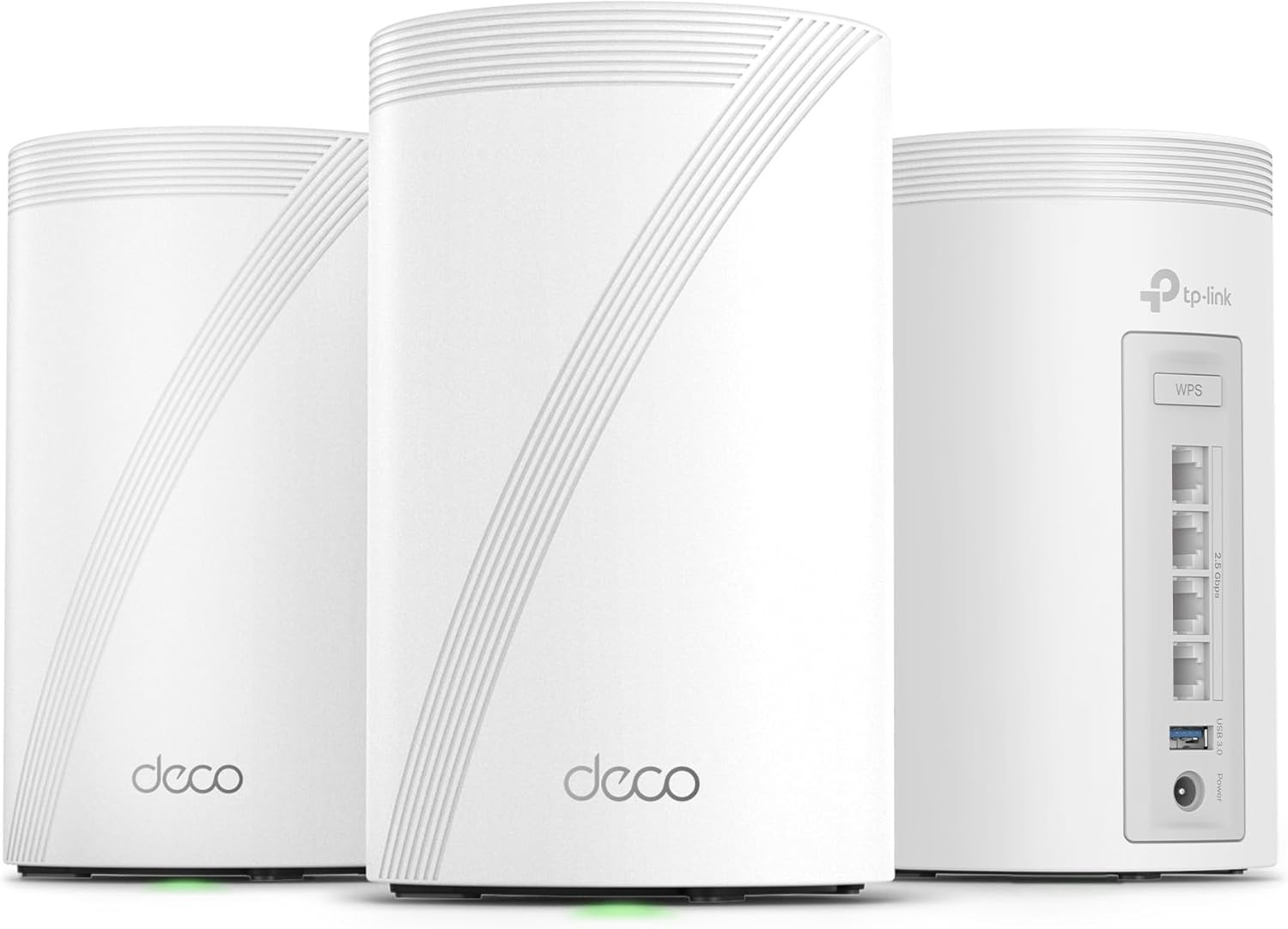
| Ethernet per unit | 4 × 2.5GbE WAN/LAN | 1 × 10GbE + 1 × 2.5GbE + 1 × 1GbE WAN/LAN |
| USB | 1 × USB 3.0 | 1 × USB 3.0 |
| Claimed 3-pack coverage | Up to 7,600 sq. ft. on Amazon.com | Up to 8,100 sq. ft. on Amazon.com |
| Claimed device capacity | Up to 200 | Up to 200 |
| Best for | 2.5GbE devices and value | Higher wireless capacity and a planned 10GbE link |
The real decision: one 10GbE port or four 2.5GbE ports?
The Ethernet layout is more important than the BE10000-versus-BE14000 label. Every BE63 unit has four auto-sensing 2.5GbE WAN/LAN ports. If one port on the gateway is used for the internet connection, three 2.5GbE ports remain for a switch, wired backhaul, NAS, desktop or game console.
Every BE67 unit has one 10GbE port, one 2.5GbE port and one Gigabit port. If the gateway’s 10GbE port is used for a 10Gbps internet connection, its fastest remaining LAN port is 2.5GbE. If the 2.5GbE port is used for WAN, the 10GbE port remains available for a NAS, workstation, switch or backhaul.
A single 10GbE port is not the same as having a complete 10GbE path through the router. A network that needs 10Gbps WAN, 10Gbps LAN and 10Gbps wired backhaul may require a compatible 10GbE switch or a different port topology. Draw the path from modem or ONT to gateway, switch, mesh nodes and clients before paying for BE67.
Wireless performance: BE67 has more 6GHz capacity
Both models are tri-band Wi-Fi 7 systems with 2.4GHz, 5GHz and 6GHz radios. Both support 320MHz channels and Multi-Link Operation for compatible Wi-Fi 7 clients. The major radio difference is on 6GHz: TP-Link lists up to 5,188Mbps for BE63 and up to 8,647Mbps for BE67.
BE67 also moves from six to eight spatial streams. That gives it more theoretical capacity for demanding clients and mesh traffic. It does not mean one laptop will automatically receive 14Gbps. Client radio design, distance, interference, channel availability, backhaul and network overhead determine real throughput.
The 5GHz specifications are the same headline 4,324Mbps on both systems. Buyers with few 6GHz or Wi-Fi 7 clients may see less benefit from BE67 than the model numbers suggest.
Deco BE63 vs BE67 range and coverage
The current Amazon.com three-pack listings claim up to 7,600 square feet for BE63 and 8,100 square feet for BE67. The difference is modest, and coverage numbers should not be treated as a prediction for a specific home.
Walls, floors, metal, appliances, neighboring networks and node placement can reduce usable range. The 6GHz band is fast at suitable distances but generally penetrates obstacles less effectively than lower frequencies. A well-placed BE63 system can outperform a poorly placed BE67 system.
- Compare the same pack size before judging coverage or price.
- Place nodes in open areas, not inside cabinets or behind televisions.
- Keep a wireless node close enough to receive a strong signal from another node.
- Use Ethernet backhaul when practical, especially between floors.
Which model fits your internet plan?
1Gbps internet
BE63 already has far more wired and wireless capacity than a 1Gbps internet plan requires. Choose BE67 only for local 10GbE traffic, greater 6GHz capacity or a planned future upgrade—not because it will make a 1Gbps subscription faster.
2Gbps to 2.5Gbps internet
BE63 is particularly well matched to this tier. Its four 2.5GbE ports can support WAN, wired backhaul and multiple multi-gig devices without immediately requiring a switch.
5Gbps or 10Gbps internet
BE67 is the only one of this pair with a 10GbE port. It is the logical starting point for service above 2.5Gbps, but check the remaining 2.5GbE and Gigabit ports. Your switch, NAS, computer adapter, cabling and backhaul must also support the intended speed.
Wireless backhaul vs Ethernet backhaul
With wireless backhaul, the Deco units use available radio capacity to communicate. BE67’s higher-capacity 6GHz radio can provide more headroom under suitable conditions. That advantage becomes less important when every node is connected by Ethernet.
For wired backhaul, BE63’s four identical 2.5GbE ports are simple and flexible. BE67 can use its 10GbE port for backhaul, but the gateway and switching equipment must provide a matching 10GbE path. Otherwise the connection will operate at the speed of the slowest link.
BE63, BE65, BE67 and BE68 naming warning
TP-Link model names and hardware variants can differ by retailer and region. Search results may group BE63 with BE65-family terms or describe BE67 as BE68/BE14000. Do not assume similarly named products have identical ports, firmware or pack contents.
This article compares the US Amazon.com three-pack listings with ASINs B0CN8QLS4K for BE63 and B0FHJKS227 for BE67. Before buying, verify the exact model, pack size, hardware version and port layout shown on the listing and packaging.
HomeShield and subscription costs
Both systems use the Deco app and TP-Link HomeShield. Basic network management is available without buying a new router subscription, but some advanced security and parental-control features may require a paid HomeShield tier. Check TP-Link’s current plan comparison before purchase because feature bundles and prices can change.
Which Deco should you buy?
Choose Deco BE63 if…
- Your internet plan is 2.5Gbps or slower.
- You want three spare 2.5GbE ports after using one for WAN.
- You will connect several desktops, NAS devices, switches or mesh nodes by Ethernet.
- You want strong tri-band Wi-Fi 7 without paying specifically for 10GbE.
ポチップ
Choose Deco BE67 if…
- You have a planned use for its 10GbE port.
- You want the higher-capacity 6GHz radio and eight-stream design.
- Your internet plan exceeds 2.5Gbps.
- You already own—or plan to buy—the switches and client adapters needed for a multi-gig network.
ポチップ
Frequently asked questions
Is Deco BE67 better than BE63?
BE67 has the faster wireless specification, more spatial streams and a 10GbE port. BE63 can be the better-designed purchase for a 2.5GbE home because every unit has four 2.5GbE ports instead of three ports at mixed speeds.
Does Deco BE63 support Wi-Fi 7 and 6GHz?
Yes. BE63 is a tri-band Wi-Fi 7 mesh system with 2.4GHz, 5GHz and 6GHz radios. It also supports 320MHz channels and MLO for compatible clients.
Does Deco BE67 have two 10GbE ports?
No. TP-Link’s current US specification lists one 10GbE port, one 2.5GbE port and one Gigabit port per BE67 unit. Plan the WAN, LAN and backhaul connections around that single 10GbE port.
Can Deco BE63 and BE67 be mixed?
TP-Link states that Deco models can work together in one Deco mesh. Each unit still keeps its own radio and port limits, so placing a slower or differently connected node in a critical path can affect performance. Use the stronger model as the gateway when its faster port is needed.
Is BE67 worth upgrading to from BE63?
Upgrade only if the 10GbE port or additional 6GHz capacity solves a measured limitation. If BE63 already delivers stable coverage and your network is built around 2.5GbE, BE67 may reduce port flexibility without producing a noticeable everyday improvement.
Final recommendation
Buy Deco BE63 for the best balance of price and practical multi-gig connectivity. Its four 2.5GbE ports per unit suit more real home networks than one isolated 10GbE port. Buy BE67 when you have a specific 10GbE topology or need the higher-capacity 6GHz radio—not simply because BE14000 is the larger number.
Compare the same pack size and current Amazon.com price before ordering. A sale can change the value, but it cannot change which port layout fits your network.