Disclosure: As an Amazon Associate I earn from qualifying purchases.
Disclosure: This article contains affiliate links. If you buy through them, SEFP Journal may earn a commission at no extra cost to you.
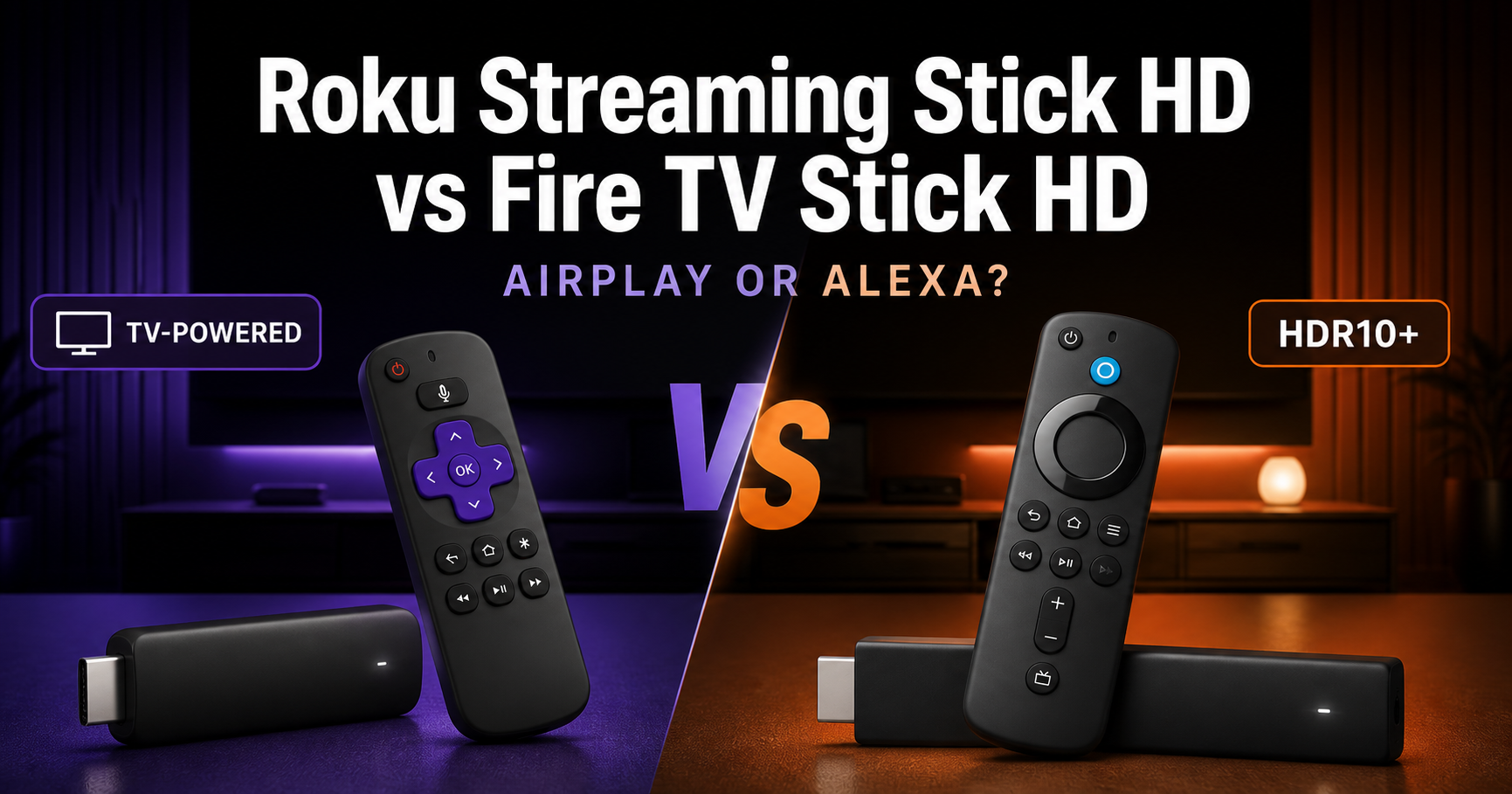
The Roku Streaming Stick HD vs Fire TV Stick HD comparison comes down to two different priorities. Roku emphasizes a simple, TV-powered stick with Apple AirPlay and broad smart-home compatibility. Amazon’s Fire TV Stick HD adds HDR format support, deeper Alexa integration, 8 GB of storage and Bluetooth 5.0.
Both were high in Amazon.com’s Electronics Best Sellers when checked on August 21, 2026: Roku ranked No. 8 and Fire TV ranked No. 22. The ranking page showed the two devices in a similar budget price range, but prices and availability change frequently. Use the Amazon buttons below to check the current listings.
This guide compares official Roku and Amazon specifications. It is not presented as a hands-on speed, Wi-Fi or picture-quality test.
- Quick answer
- Roku Streaming Stick HD vs Fire TV Stick HD specs
- Picture quality: both are HD, but Fire TV supports HDR
- Roku interface or Fire TV interface?
- AirPlay, HomeKit and smart-home control
- Remote controls
- Wi-Fi and Bluetooth headphones
- Power and travel convenience
- Storage and performance specifications
- Free TV, paid apps and ongoing costs
- Which should you buy?
- Verdict
- Check the latest Amazon.com listings
- FAQ
- Sources and research date
Quick answer
- Buy Roku Streaming Stick HD if you want Apple AirPlay and HomeKit, a straightforward Roku experience, USB-C power and a design that Roku says can run from the TV without a wall power brick.
- Buy Fire TV Stick HD if you use Alexa, want HDR10/HDR10+/HLG support, need clearly specified Bluetooth accessory support or prefer Amazon’s content and smart-home ecosystem.
- For an older 1080p TV: both are appropriate, because neither outputs 4K.
- For a 4K TV: consider a 4K-class Roku or Fire TV model unless price matters more than resolution.
Roku Streaming Stick HD
Best for AirPlay, a TV-powered setup and a simple HD streaming upgrade.
Check Roku Streaming Stick HD price on AmazonPrice and availability may change.
Amazon Fire TV Stick HD
Best for Alexa, HDR formats and Bluetooth accessory support.
Check Fire TV Stick HD price on AmazonPrice and availability may change.
Roku Streaming Stick HD vs Fire TV Stick HD specs
| Feature | Roku Streaming Stick HD | Amazon Fire TV Stick HD |
|---|---|---|
| Maximum output | Up to 1080p (1920 × 1080), with upscaling from 720p | 1080p and 720p up to 60 fps |
| HDR formats | Not listed for this HD model | HDR10, HDR10+, HLG |
| Wi-Fi | Dual-band 2.4 GHz / 5 GHz | Dual-band, dual-antenna 802.11ac Wi-Fi (Wi-Fi 5) |
| Bluetooth audio | Bluetooth Headphone Mode | Bluetooth 5.0 and Bluetooth Low Energy |
| Voice remote | Roku Voice Remote | Alexa Voice Remote |
| TV controls | Power, volume and mute on most compatible TVs | Power and volume on compatible IR devices; other functions vary |
| Apple AirPlay / HomeKit | Yes | Not listed as native features |
| Smart-home compatibility | Roku Smart Home, Apple Home, Google Home and Alexa | Alexa and compatible smart-home devices |
| Power connection | USB-C; Roku says it can be powered by the TV | Micro-USB; power adapter and outlet listed |
| Internal storage | Not stated on the cited Roku page | 8 GB |
| Processor | Not stated on the cited Roku page | Quad-core 1.7 GHz |
| Size | 3.7 × 0.80 × 0.45 inches | 3.4 × 1.2 × 0.5 inches |
| Weight | 0.90 oz / 26 g | 1.1 oz / 32 g |
| Model checked | 3840R | ASIN B0CQMRKRV5 |
Specifications are based on the official Roku Streaming Stick product page and Amazon’s Fire TV Stick HD listing and technical details, checked August 21, 2026.
Picture quality: both are HD, but Fire TV supports HDR
Both devices are designed around 1080p HD, not 4K output. Roku specifies up to 1920 × 1080 with upscaling from 720p. Amazon specifies 1080p and 720p output up to 60 frames per second.
Fire TV Stick HD also lists HDR10, HDR10+ and HLG video formats. Roku does not list HDR support for this entry-level HD stick; Roku reserves HDR for its 4K models in the official comparison.
This gives Fire TV the stronger format list, but it does not turn the device into a 4K streamer. Whether HDR makes a visible difference depends on the TV and content. Many older 1080p televisions do not support HDR at all.
If you already own a 4K television, buying a 4K streaming stick is usually the more future-proof decision. These two are most logical for an HD bedroom TV, guest-room TV, dorm setup or another screen where 1080p is enough.
Roku interface or Fire TV interface?
The platform may matter more than the hardware specifications.
Roku centers the experience on installed streaming apps and The Roku Channel. Its official page emphasizes a fast, user-friendly experience, hundreds of free channels and broad app access. It is the more natural choice if you want the streaming device to feel independent of a particular paid ecosystem.
Fire TV is closely connected to Amazon services, Alexa and Prime Video. That can be convenient for Prime members and Alexa households. It can also make Fire TV the more coherent option if you already use Echo speakers, Ring cameras or other Alexa-compatible devices.
Neither interface eliminates subscription costs. Netflix, Disney+, Max, YouTube TV and other paid services still require their own plans where applicable.
AirPlay, HomeKit and smart-home control
Roku has the clearer advantage for Apple households. The official Roku page lists compatibility with Apple AirPlay and HomeKit, as well as Google Home, Alexa and Roku Smart Home.
That means an iPhone, iPad or Mac user can choose Roku for its officially supported Apple integration without relying on an unofficial workaround.
Fire TV’s strength is Alexa. The included Alexa Voice Remote can search and launch content, and Amazon lists control of compatible smart-home devices such as lights and camera feeds. If Alexa is already the control layer for your home, Fire TV is the better ecosystem match.
Remote controls
Both products include a voice remote and can reduce the need to keep the original TV remote nearby.
Roku’s Voice Remote includes TV power, volume and mute controls for most compatible televisions. Amazon’s Alexa Voice Remote controls the Fire TV Stick and supports power and volume functions on many compatible IR-enabled TVs, soundbars and A/V receivers. Amazon cautions that some functions may not work with every IR device.
The meaningful difference is the assistant: Roku voice search is focused on finding and launching entertainment, while Fire TV’s remote is tied into Alexa and compatible smart-home commands.
Wi-Fi and Bluetooth headphones
Roku lists dual-band 2.4 GHz and 5 GHz Wi-Fi. Fire TV gives a more detailed specification: dual-band, dual-antenna MIMO with support through 802.11ac, commonly called Wi-Fi 5.
Those specifications do not prove that one stick will be faster in your home. Router placement, interference, internet speed and the TV’s location all affect streaming reliability. We therefore do not declare a Wi-Fi winner without a controlled test.
Both can support private listening:
- Roku advertises Bluetooth Headphone Mode.
- Fire TV lists Bluetooth 5.0 and support for compatible headphones, speakers and game controllers.
Fire TV provides the more explicit Bluetooth specification, while Roku makes headphone listening a named product feature.
Power and travel convenience
Roku’s power design is a practical differentiator. The Streaming Stick uses USB-C for power, and Roku says the current model can run directly from the TV without a wall outlet or power brick. Its package includes a USB-C-to-USB-A cable.
Fire TV Stick HD uses micro-USB for power. Amazon lists a power outlet as a system requirement and includes a cable and power adapter in the box.
For a clean installation behind a TV—or for travel where outlets are limited—Roku is the simpler design on paper. Fire TV includes an HDMI extender, which can help when the television’s ports are crowded or difficult to reach.
Hotel Wi-Fi, app availability and travel restrictions vary. Do not assume that every streaming service will work in every country or on every hotel network.
Storage and performance specifications
Amazon publishes more internal hardware information for Fire TV Stick HD: a quad-core 1.7 GHz processor and 8 GB of internal storage.
The cited Roku page does not state processor or storage capacity. That omission is not evidence that Fire TV is automatically faster. Operating-system design and available storage management differ, and a fair speed comparison requires the same network, apps and test conditions.
If transparent hardware specifications matter to you, Fire TV provides more detail. If the goal is simply to launch mainstream streaming apps on an HD television, both are designed for that job.
Free TV, paid apps and ongoing costs
Neither stick requires a monthly device subscription merely to function. Both offer access to free, ad-supported content, and both support paid apps and live-TV services.
The hardware purchase does not include every service shown in promotional material. Subscription fees, rentals or purchases may apply, and app availability can change by region.
Roku highlights The Roku Channel and more than 500 free channels on its current US product page. Fire TV highlights free content from ad-supported apps alongside Prime Video and other services. Choose based on the apps you actually use—not the largest promotional channel count.
Which should you buy?
Buy Roku Streaming Stick HD if you:
- Use AirPlay or Apple HomeKit
- Prefer a Roku-centered app experience
- Want a USB-C, TV-powered installation
- Need a light, compact stick for an HD television
- Want voice search plus TV power, volume and mute controls
- Use Google Home, Alexa or Roku Smart Home alongside Apple devices
Buy Fire TV Stick HD if you:
- Use Alexa and Amazon services regularly
- Want HDR10, HDR10+ and HLG support at 1080p
- Want clearly specified Bluetooth 5.0 accessory support
- Want published processor and storage specifications
- Need an included HDMI extender and wall power adapter
- Want to control compatible Alexa smart-home devices from the TV
Verdict
The Roku Streaming Stick HD is the better general recommendation for a simple 1080p upgrade, especially for Apple users and buyers who value a TV-powered USB-C setup. AirPlay, HomeKit and broad smart-home compatibility make it flexible without tying the experience to one retail ecosystem.
The Fire TV Stick HD is the stronger choice for an Alexa household. Its HDR format support, Bluetooth 5.0, 8 GB storage and detailed technical specifications give it a broader published feature list.
The decision rule is straightforward: choose Roku for AirPlay and simplicity; choose Fire TV for Alexa and HDR formats. If your main television is 4K, skip both and compare their 4K-class alternatives instead.
Check the latest Amazon.com listings
Roku Streaming Stick HD
Up to 1080p, AirPlay/HomeKit support and a TV-powered USB-C design.
View Roku Streaming Stick HD on AmazonAmazon prices and availability can change at any time.
Amazon Fire TV Stick HD
Up to 1080p, Alexa Voice Remote, HDR formats and Bluetooth 5.0.
View Fire TV Stick HD on AmazonAmazon prices and availability can change at any time.
FAQ
Can Roku Streaming Stick HD play 4K?
No. The current Roku Streaming Stick model 3840R outputs up to 1080p. Roku’s Streaming Stick Plus and Streaming Stick 4K are the 4K options.
Can Fire TV Stick HD play 4K?
No. Amazon lists output up to 1080p at 60 fps. It can be connected to a compatible 4K TV, but it does not output 4K video.
Does Roku Streaming Stick HD support AirPlay?
Yes. Roku’s official compatibility list includes Apple AirPlay and HomeKit.
Does Fire TV Stick HD support HDR?
Yes. Amazon lists HDR10, HDR10+ and HLG. The output resolution remains limited to 1080p.
Can I use Bluetooth headphones with both devices?
Yes. Roku advertises Bluetooth Headphone Mode. Fire TV Stick HD lists Bluetooth 5.0 and compatible Bluetooth headphones.
Does Roku need a wall outlet?
Roku says the current Streaming Stick HD can be powered directly by the TV through its included USB-C-to-USB-A cable, with no wall outlet required. USB power availability can depend on the television.
Do I need Prime to use Fire TV Stick HD?
No. A Prime subscription is not required to operate the Fire TV Stick, although Prime Video benefits and some content require Prime or separate payments. Other streaming services may require their own subscriptions.
Which is better for an iPhone user?
Roku is the clearer choice because Apple AirPlay and HomeKit are officially listed. Fire TV remains attractive if the same household relies more heavily on Alexa than Apple Home.
Sources and research date
- Roku Streaming Stick official US product page, checked August 21, 2026
- Amazon Fire TV Stick HD product and technical details, checked August 21, 2026
- Amazon.com Electronics Best Sellers, checked August 21, 2026
- Rakko Keyword checks returned no exact-match suggestions; Google comparison results were reviewed for search intent and competition, checked August 21, 2026