Disclosure: This article contains Amazon affiliate links. As an Amazon Associate, SEFP Journal earns from qualifying purchases at no extra cost to you.
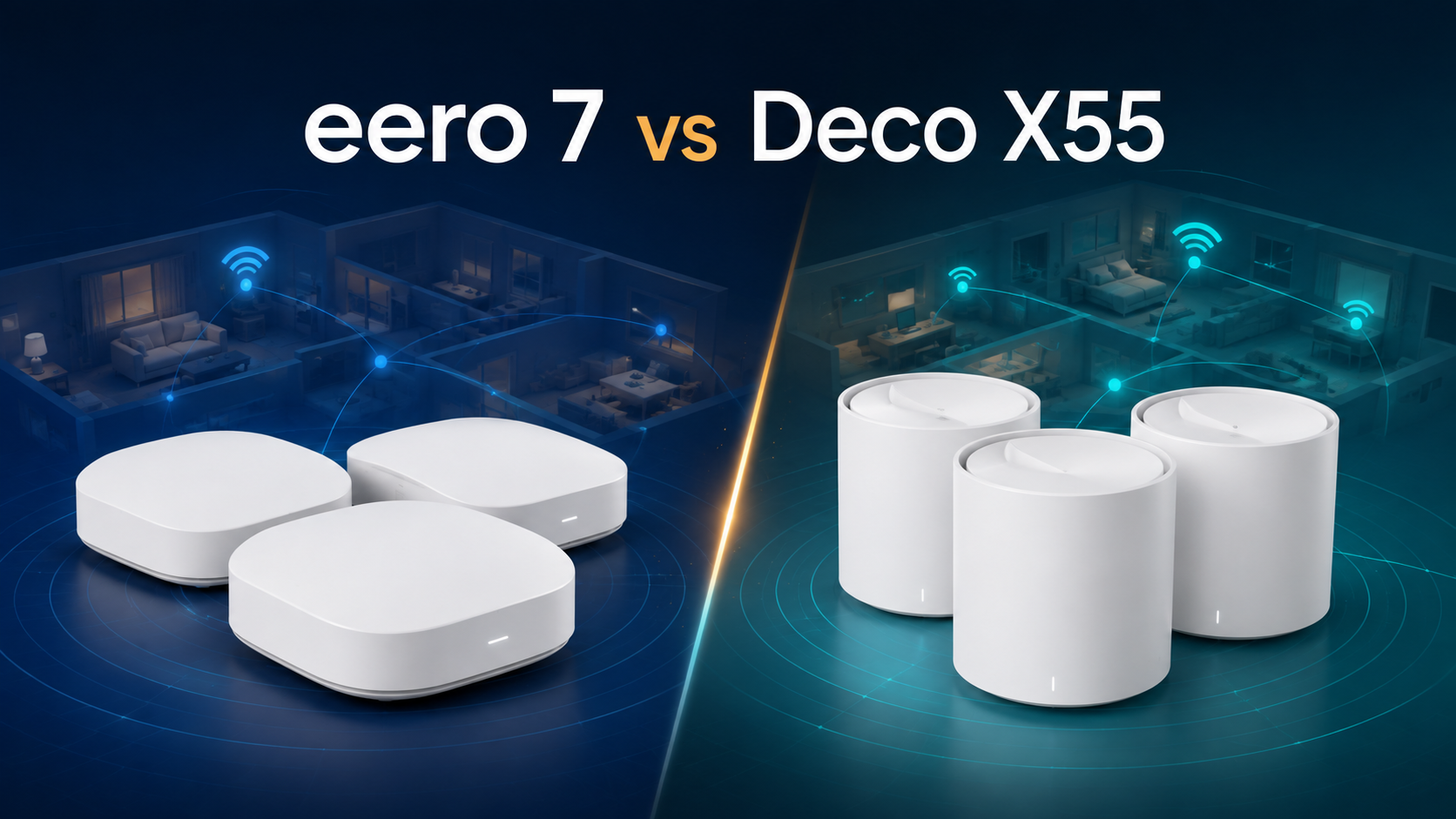
The short answer: choose the TP-Link Deco X55 three-pack if you want the better-value mesh for a gigabit-or-slower internet plan, a large home, and several wired devices at each node. Choose the Amazon eero 7 three-pack if you want Wi-Fi 7, two 2.5GbE ports per unit, or a mesh that fits an eero, Alexa, Thread, Zigbee, and Matter smart-home setup.
This eero 7 vs TP-Link Deco X55 comparison matches three-pack with three-pack and uses official U.S. specifications plus current Amazon.com product data. It is not a hands-on speed or range test. Both systems are dual-band, so buyers using wireless backhaul through difficult walls should not assume that the Wi-Fi 7 label automatically solves every mesh bottleneck.
Checked September 8, 2026: Deco X55 ranked No. 3 and the one-pack eero 7 ranked No. 7 in Amazon.com’s Whole Home & Mesh Wi-Fi Systems Best Sellers list. Exact-match Google results for “eero 7 vs Deco X55” were sparse, while Rakko Keyword did not return stable public suggestion data for “eero 7.” Rankings, prices, sellers, and stock can change, so this guide does not lock either product to a temporary sale price.
- eero 7 vs Deco X55: quick verdict
- eero 7 vs TP-Link Deco X55 specs
- The biggest difference: Wi-Fi 7 vs Wi-Fi 6
- 2.5GbE vs three Gigabit ports
- Coverage and wireless backhaul
- Which is better for gigabit and multi-gig internet?
- Smart-home features and app experience
- Which mesh is better for a large home?
- Pros and cons
- Frequently asked questions
- Final recommendation
- Related guide
- Official sources
eero 7 vs Deco X55: quick verdict
- Wi-Fi 7 and MLO support for compatible devices
- Two 2.5GbE ports on every unit
- An internet plan above 1Gbps
- eero TrueMesh and simple app management
- Thread, Zigbee, Matter controller, and Alexa integration
- The stronger value for gigabit-or-slower internet
- Three Ethernet ports on every unit
- A three-pack rated for up to 6,500 sq. ft.
- Support for up to 150 connected devices
- Wi-Fi 6 clients and Ethernet backhaul without paying for Wi-Fi 7
Our default recommendation is the Deco X55 for most value-conscious homes. It is already fast enough to distribute a gigabit internet connection, offers one more Ethernet port per node, and its three-pack has a higher manufacturer coverage claim. The eero 7 becomes the smarter purchase when multi-gig Ethernet, Wi-Fi 7 clients, or eero’s smart-home ecosystem are part of the plan.
Amazon eero 7 (3-pack)
Best for 2.5GbE, Wi-Fi 7 clients, and an eero-centered smart home.
Check eero 7 on Amazon.comTP-Link Deco X55 (3-pack)
Best for gigabit plans, broad three-node coverage, and three Ethernet ports per unit.
Check Deco X55 on Amazon.comeero 7 vs TP-Link Deco X55 specs
| Feature | Amazon eero 7 (3-pack) | TP-Link Deco X55 (3-pack) |
|---|---|---|
| Wi-Fi generation | Wi-Fi 7 (802.11be), BE5000 | Wi-Fi 6 (802.11ax), AX3000 |
| Bands | Dual-band: 2.4GHz + 5GHz | Dual-band: 2.4GHz + 5GHz |
| 6GHz radio | No | No |
| Maximum channel width | Up to 240MHz | Up to 160MHz |
| Published wireless rate | Up to 1.8Gbps for a compatible client | 5GHz: 2402Mbps; 2.4GHz: 574Mbps |
| Ethernet per unit | 2 × auto-sensing 2.5GbE | 3 × auto-sensing Gigabit |
| Internet plan fit | Up to 2.5Gbps | Best matched to 1Gbps or slower |
| Ethernet backhaul | Yes | Yes |
| Manufacturer 3-pack coverage claim | Up to 6,000 sq. ft. | Up to 6,500 sq. ft. |
| Published device capacity | 120+ devices for three units | Up to 150 devices |
| Wi-Fi 7 MLO | Yes, with compatible clients | No |
| Smart-home radios | Thread, Zigbee, Matter controller, Alexa | Alexa voice integration; no equivalent Thread/Zigbee hub radios listed |
| Operating modes | Router or bridge mode | Router or access point mode |
| Management | eero app | Deco app |
| Optional paid services | eero Plus | HomeShield paid tiers |
Official U.S. specifications and Amazon.com three-pack listings checked September 8, 2026. Wireless speed, coverage, and device figures are manufacturer “up to” claims, not guaranteed real-home results.
The biggest difference: Wi-Fi 7 vs Wi-Fi 6
eero 7 is the newer platform. It supports Wi-Fi 7 features including Multi-Link Operation and channels up to 240MHz. A compatible Wi-Fi 7 phone or laptop can use newer scheduling and link-management features, while older Wi-Fi 6 and Wi-Fi 5 devices remain backward compatible.
Deco X55 uses Wi-Fi 6 and supports up to 160MHz channels on 5GHz. That is not automatically a disadvantage for a home with a 1Gbps internet plan and mostly Wi-Fi 6 clients. The internet connection, client radio, distance, interference, and mesh backhaul frequently become the limit before the AX3000 label does.
A critical detail is that both systems are dual-band and neither has a 6GHz radio. eero 7 is a Wi-Fi 7 router, but it is not a tri-band Wi-Fi 7 system. Buyers looking for a separate 6GHz band should compare eero Pro 7 or a tri-band Deco Wi-Fi 7 model instead.
2.5GbE vs three Gigabit ports
The Ethernet layout may decide this comparison faster than the Wi-Fi generation. Every eero 7 has two auto-sensing 2.5GbE ports. On the gateway unit, one port normally connects to the modem or ONT, leaving one 2.5GbE port for a switch, NAS, desktop, or wired backhaul.
Every Deco X55 has three auto-sensing Gigabit ports. After using one for WAN on the gateway, two remain. Satellite nodes can provide three wired connections each. This is convenient for televisions, game consoles, printers, and work computers that do not need more than 1Gbps.
Choose eero 7 when one fast port and a 2.5GbE switch fit your plan. Choose Deco X55 when you prefer more built-in ports and none of your connections needs to exceed Gigabit Ethernet. Remember that Deco X55 cannot pass more than 1Gbps through any single Ethernet port, regardless of its combined wireless rating.
Coverage and wireless backhaul
Amazon lists the eero 7 three-pack for up to 6,000 square feet and the Deco X55 three-pack for up to 6,500 square feet. The 500-square-foot difference is not a reliable prediction for your home. Walls, floors, metal, appliances, neighboring networks, and node placement can change coverage dramatically.
Because both products are dual-band, wireless mesh traffic shares the same 2.4GHz and 5GHz resources used by client devices. In a long home or across several floors, a weak connection between nodes can reduce the speed available at the far end. Wi-Fi 7 improves efficiency, but it cannot create a strong radio path through a difficult wall.
- Place the gateway in an open, central location instead of inside a cabinet.
- Place each satellite where it still receives a strong signal—not directly inside the dead zone.
- Use Ethernet backhaul when practical, especially between floors.
- Do not assume that adding more nodes always helps; excessive overlap can create extra interference and roaming decisions.
Which is better for gigabit and multi-gig internet?
Internet plans up to 500Mbps
Deco X55 is usually the value choice. Its Gigabit ports and Wi-Fi 6 radios already provide more capacity than a 500Mbps service requires. Pay more for eero 7 only if you specifically want eero’s software, smart-home radios, or a longer Wi-Fi 7 replacement cycle.
1Gbps internet
Both are reasonable. Deco X55 can distribute a gigabit-class connection, though protocol overhead means a wired client will not see the full theoretical 1,000Mbps as application throughput. eero 7 provides more port headroom and is the better fit if the modem or ONT has a 2.5GbE port.
2Gbps to 2.5Gbps internet
eero 7 is the clear choice between these two because each unit has 2.5GbE ports and eero specifies support for internet plans up to 2.5Gbps. Deco X55’s Gigabit WAN/LAN ports create a hard per-port limit.
Even with eero 7, one wireless device is not guaranteed to reach the full plan speed. Multi-gig results require compatible client hardware, suitable channel conditions, close range, and a wired path that does not contain a slower switch or adapter.
Smart-home features and app experience
eero 7 has the stronger integrated smart-home feature set. eero lists support for Thread, Zigbee, Matter controller functions, Alexa, and selected eero Built-in devices. That makes it especially attractive to an Amazon smart-home household that wants the router to play a broader connectivity role.
Deco X55 works with Alexa for supported voice controls and uses the Deco app for setup and management. Its strength is conventional mesh value rather than built-in Zigbee or Thread hub hardware.
Both vendors offer optional paid services: eero Plus and TP-Link HomeShield paid tiers. Basic router and mesh operation does not require buying the premium plan, but advanced security, filtering, or parental-control features can differ by subscription and region. Check the current plan comparison before purchase because features and prices can change.
Which mesh is better for a large home?
For a typical large home with a 1Gbps-or-slower plan, Deco X55 is the more economical three-node starting point and carries the higher published coverage figure. Its three Ethernet ports per node are also useful when a home office, television, and game console share one room.
For a large home with multi-gig internet or wired 2.5GbE backhaul, eero 7 is the better architecture. Its ports avoid the Gigabit ceiling, and the system can serve newer Wi-Fi 7 clients. However, a difficult wireless-only layout may benefit more from a tri-band mesh than from either dual-band model.
Pros and cons
Amazon eero 7
- Wi-Fi 7 and MLO
- Two 2.5GbE ports per unit
- Support for plans up to 2.5Gbps
- Thread, Zigbee, Matter, and Alexa integration
- Compact low-profile design
Tradeoffs: no 6GHz radio, only two Ethernet ports per unit, and some advanced features sit behind eero Plus.
TP-Link Deco X55
- Strong three-pack value
- Three Ethernet ports per unit
- Up to 6,500 sq. ft. manufacturer claim
- Up to 150 connected devices
- Ethernet backhaul and access point mode
Tradeoffs: Wi-Fi 6 only, Gigabit Ethernet ceiling, no 6GHz, and some HomeShield functions require a paid tier.
Frequently asked questions
Is eero 7 faster than Deco X55?
eero 7 has the faster network hardware: Wi-Fi 7, up to 240MHz channels, MLO, and 2.5GbE ports. That does not guarantee faster results in every room. With a sub-gigabit plan and Wi-Fi 6 clients, Deco X55 may deliver the same practical internet speed.
Does eero 7 have a 6GHz band?
No. The standard eero 7 is a dual-band Wi-Fi 7 router using 2.4GHz and 5GHz. Buyers who want 6GHz should look at a tri-band model such as eero Pro 7.
Can Deco X55 handle gigabit internet?
Yes, Deco X55 is designed around Gigabit Ethernet and can suit a 1Gbps plan. Actual application throughput is lower than the raw link rate because of protocol overhead and network conditions. It is not the right model for an internet plan above 1Gbps.
Can eero 7 and Deco X55 work in one mesh?
No. They can exist as separate networks or one can be placed in a suitable bridge/access-point arrangement, but they do not form one seamless cross-brand mesh. Use eero units with the eero system and Deco units with the Deco system.
Do eero 7 and Deco X55 support Ethernet backhaul?
Yes. Ethernet backhaul is one of the best ways to improve consistency between floors or through dense walls. eero 7 can use a 2.5GbE link, while Deco X55 is limited to Gigabit Ethernet.
Which is better without a subscription?
Both provide normal routing and mesh operation without a premium subscription. Compare the free parental-control and security features you actually need. Optional eero Plus and HomeShield tiers can change over time.
Final recommendation
Buy the TP-Link Deco X55 three-pack for the best value with gigabit-or-slower internet. Its three Ethernet ports per unit, broad published coverage, and mature Wi-Fi 6 feature set fit most homes without charging for network capacity they cannot use.
Buy the Amazon eero 7 three-pack when your network is moving beyond Gigabit Ethernet. It is the better long-term fit for a 2Gbps or 2.5Gbps plan, Wi-Fi 7 clients, 2.5GbE wired backhaul, or an eero/Alexa smart home.
For Wi-Fi 7 and 2.5GbE
Choose the three-pack for multi-gig ports, compatible Wi-Fi 7 clients, and eero smart-home integration.
Check eero 7 price on Amazon.comFor value and more LAN ports
Choose the three-pack for a gigabit plan, broad coverage, and three wired connections per node.
Check Deco X55 price on Amazon.comRelated guide
Official sources
- eero 7 official specifications
- eero 7 official product page
- TP-Link US Deco X55 specifications
- TP-Link US Deco X55 support and hardware versions
- Amazon.com Whole Home & Mesh Wi-Fi Systems Best Sellers
- Rakko Keyword: eero 7
Specifications, U.S. listings, and ranking positions were checked September 8, 2026. Product revisions can vary by region. Verify the exact model, pack size, seller, ports, price, and availability on the product page before ordering.