Affiliate disclosure: As an Amazon Associate, SEFP Journal earns from qualifying purchases. The product cards link to Amazon.com listings for the United States.
In Stream Deck Neo vs MK.2 vs Plus, choose Neo for eight visible shortcuts with separate page controls, MK.2 for a 15-key layout, or Stream Deck + for four physical dials alongside eight keys. Plus is not a 15-key upgrade. And with current Wave Link 3, buying Plus is no longer necessary just to unlock the mixing software.
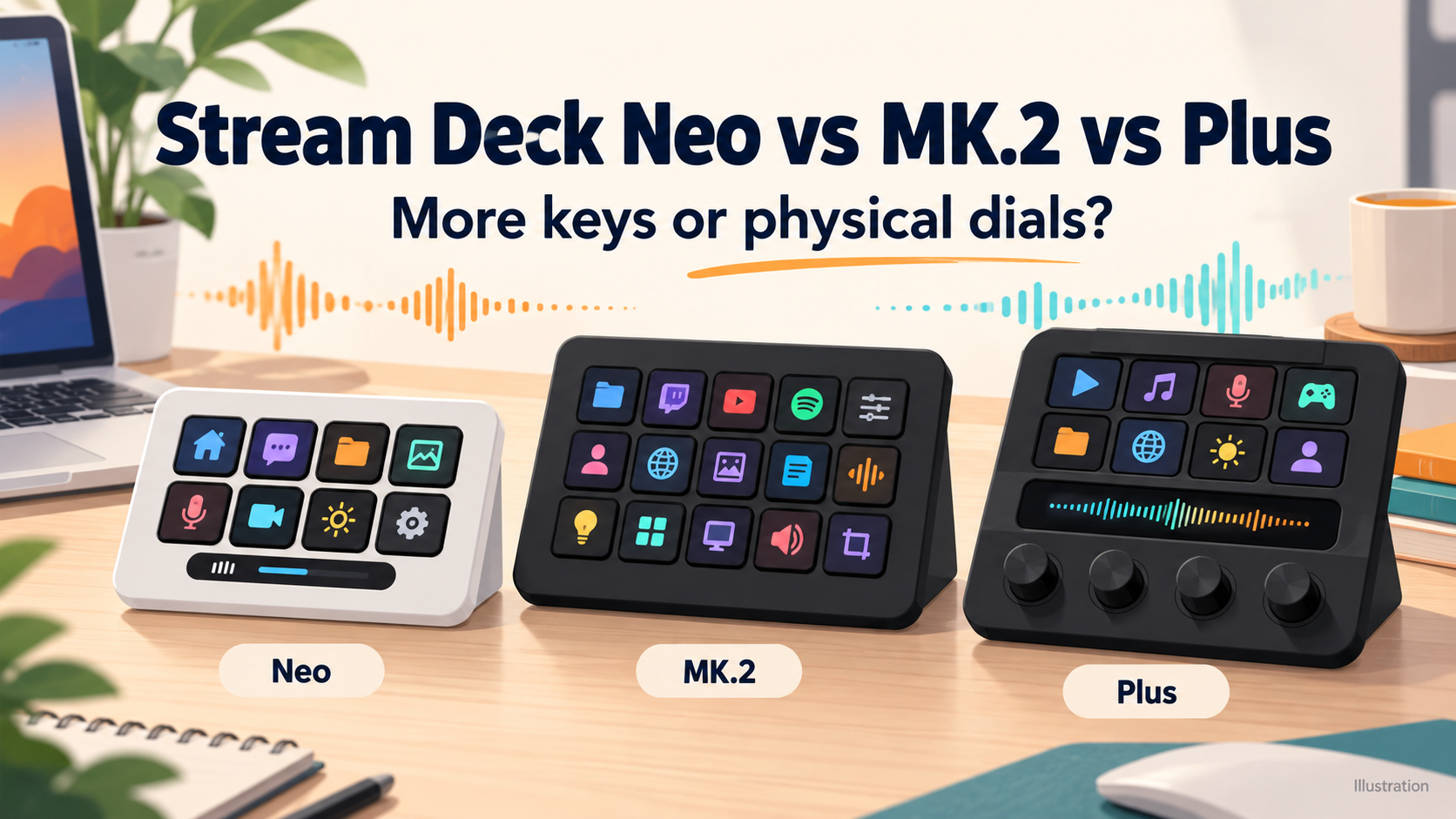
This is a specification-based buying guide using Elgato documentation and actual US product listings checked October 30, 2026. We have not tested key feel, response time, reliability or productivity gains. The featured image is an explanatory illustration, not a product photograph or an exact hardware drawing.
- Stream Deck Neo vs MK.2 vs Plus: main differences
- Start with an action list, then choose the hardware
- Stream Deck Neo: eight keys without spending keys on page arrows
- Stream Deck MK.2: choose it for a fuller visible layout
- Stream Deck Plus: buy the dials for a specific job
- Does Stream Deck Plus still need to unlock Wave Link?
- USB ports, included cables and current OS requirements
- Which Stream Deck is the best value for your setup?
- Official sources and setup references
Stream Deck Neo vs MK.2 vs Plus: main differences
| Feature | Neo | MK.2 | Plus |
|---|---|---|---|
| LCD action keys | 8 | 15 | 8 |
| Physical dials | None | None | 4, with push function |
| Extra display/control | Infobar + 2 Touch Points | No separate touch strip | LCD touch strip |
| Page navigation | Dedicated Touch Points | Software navigation actions | Touch-strip swipes |
| Cable arrangement | Fixed USB-C, 0.9m | Detachable, 1.5m | Detachable, 1.5m |
| Stand | Integrated, 3 positions | Removable | Integrated |
| Published weight | 210g | 270g with stand | 465g |
| Software | Stream Deck app | Same app | Same app |
| Best reason to choose | Compact eight-key layout | More controls visible at once | Supported dial adjustments |
The MK.2 card covers the black classic-key model, not the Scissor Keys edition or the discontinued original 15-key Stream Deck. All three support software features such as profiles, folders and Multi Actions; a larger purchase does not buy a separate premium tier of the core Stream Deck app. Connection and software requirements are explained below.




Start with an action list, then choose the hardware
| What you need | Start with | Why |
|---|---|---|
| A small set of app launches and repeated shortcuts | Neo | Eight visible keys, with separate page navigation. |
| Ten or twelve frequently used commands visible together | MK.2 | Its 15 keys give more room before hiding commands on another page. |
| Frequent volume or parameter adjustments | Plus | The four encoders offer a different control method, if your plugin supports it. |
| A basic software audio mixer | Try Wave Link 3 first | Its old hardware-unlock condition has been removed. |
| An XLR microphone input | Compare an audio interface or an extra compatible dock | The base controller listing is not an XLR Dock bundle. |
Write down the commands you actually repeat, then mark which must stay visible. A project-launch button used once each morning can sit in a folder. A control you need immediately during a presentation deserves a visible position. This simple inventory is more useful than counting every possible macro you might create someday.
For example, a proposed layout with four scene choices, two mute controls, record, screenshot, a work-app launcher, a timer, a lighting command and a folder needs twelve positions. That is a planning example, not a profile we tested: it fits within MK.2’s physical key count, while an eight-key device needs a different arrangement or another page. The exact actions still depend on the relevant integrations.
Stream Deck Neo: eight keys without spending keys on page arrows
Neo combines eight LCD keys with an Infobar and two Touch Points for moving between pages. It has a fixed 90cm USB-C cable and an integrated stand with three positions. If your main layout needs eight actions and you are comfortable switching to secondary layouts, it is a practical starting point.
The Touch Points are not two extra full-size LCD action keys, and the Infobar is not the same control surface as Plus’s touch strip. Treat Neo as an eight-key layout with separate navigation. That avoids an inflated “ten-key” comparison and keeps its actual advantage clear.
For a closer look at its setup requirements, read our Stream Deck Neo buying guide. Measure the cable path from your USB port to the intended desk position: a compact controller is less convenient if its fixed cable cannot reach your hub or computer.
Stream Deck MK.2: choose it for a fuller visible layout
The classic MK.2 provides 15 LCD keys, a detachable cable and removable stand. Elgato lists 145g without the stand and 270g with it. For a desk-based layout, compare the latter figure rather than presenting the bare unit as the complete setup’s weight.
The extra seven keys over Neo are valuable when commands must remain in sight. Folders and pages can expand any model’s library, but they do not make a hidden action visible on the current page. If you regularly jump between several scenes or editing tools, sketch the layout before deciding that an eight-key unit is enough.
Check the variant as well as the name. Elgato now offers classic and scissor-key versions of its 15-key controller. This article links to the classic black MK.2, model 10GBA9901. Elgato warns that Scissor Keys and MK.2 use different faceplates, so a cosmetic accessory is not automatically interchangeable.
Stream Deck Plus: buy the dials for a specific job
Stream Deck + has eight LCD keys, four pushable rotary encoders and an LCD touch strip. The strip provides feedback and page navigation. Its 465g published weight and larger body make it a different desk commitment from Neo; the reason to consider it is how you want to adjust controls.
If you repeatedly change a supported audio level or image parameter, turning a dial may suit the task better than separate increase/decrease buttons. That is a workflow choice, not a measured speed advantage. Check the exact plugin and its dial actions: support for a key action does not by itself establish a useful rotary control for every setting.
Dial Stacks can place multiple supported actions on one dial, with presses cycling between them. This expands assignments, but you still have four physical encoders and eight keys. If immediate access to fifteen distinct buttons matters more than rotary adjustments, MK.2 can be the better fit even when Plus costs more.
Does Stream Deck Plus still need to unlock Wave Link?
No hardware purchase is needed merely to satisfy the old Wave Link unlock condition. Elgato’s updated support note says Wave Link 3 is free and removed the hardware requirement. The earlier instructions on that page are explicitly marked as applying to previous releases.
That matters when comparing older reviews or retailer copy claiming Plus “unlocks Wave Link.” Evaluate the current software first, including its own OS requirements and support for your microphone. Then decide whether physical dials justify buying Plus. Free software availability does not mean every microphone gains features that require specific audio hardware.
The base Plus unit is a controller. Elgato describes XLR Dock and USB Hub as additional accessories; the single-unit card here does not include them. If your goal is connecting an XLR microphone, price the needed interface or compatible dock separately instead of assuming “audio mixer” in a title includes an XLR input.
USB ports, included cables and current OS requirements
The checked current US pages list Windows 11 or newer and macOS 13 or newer for the Stream Deck app. Use those current requirements rather than an older box’s minimums as a promise about today’s software. The same pages do not list Linux as an officially supported desktop platform. Check individual plugins too, especially on a managed work computer where installation may be restricted.
Neo uses a fixed USB-C cable. MK.2 and Plus have detachable connections. Elgato’s current box lists specify USB-C-to-USB-C cables, while its support documentation notes a change from older USB-C-to-USB-A packaging. The matched MK.2 retailer page says “USB-C cable” without settling the computer-end plug, so confirm the actual package if that end matters to your laptop.
Connector shape and host requirements are separate checks. The Plus specifications list a USB 2.0 interface, but its current US system-requirements section calls for a USB-C 3.0 port. Follow that host requirement instead of assuming any USB-C socket or charging-only hub connection is sufficient. We have not verified a specific adapter or hub combination.
Which Stream Deck is the best value for your setup?
- Neo: start here for a focused eight-action layout, separate page navigation and a compact desk setup.
- MK.2: choose more visible buttons when repeatedly changing pages would interrupt the task.
- Plus: pay for the encoders when you can name the supported adjustments you will use regularly.
Before ordering, compare the full cost: controller, any required connection adapter, optional paid Marketplace assets and any separate audio hardware. You can also try Stream Deck Mobile’s free six-key tier to explore actions before buying physical controls. It helps assess the software idea, but it cannot tell you how hardware keys or dials will feel.
The cards below were checked as a white Neo, black classic MK.2 and black eight-key/four-dial Plus. Confirm the selected style, seller, condition and included items. Plus XL, Scissor Keys, an original discontinued Stream Deck and dock bundles are different purchases. Prices change, so we do not display a fixed “lowest price” or promise a productivity gain.
Official sources and setup references
- Elgato US: Stream Deck Neo
- Elgato US: 15-key Stream Deck, classic and scissor options
- Elgato US: Stream Deck +
- Elgato: device comparison guide
- Elgato: Stream Deck + technical specifications and cable-package note
- Elgato: Neo introduction and page navigation
- Elgato: Dial Stacks
- Elgato: Wave Link 3 removed the old hardware requirement
- Elgato: MK.2 and Scissor Keys faceplates differ
- Elgato: what Stream Deck does